How To Trace Any Unknown Phone Number Easily.


First you will Open website www.truecaller.com in your browser.


Then you will write any number in search bar.

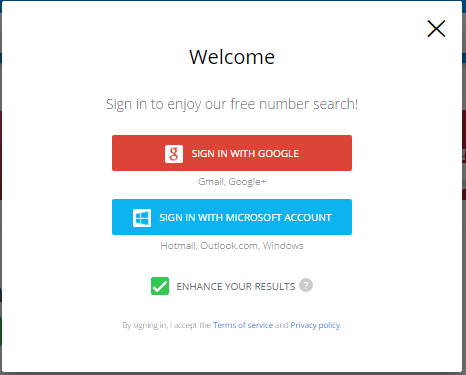
Then you will have to sign in with google+ or Microsoft account.


It is Up to you, which one you will sign in.

After signing in you will see below picture.


You Click on Allow button.

Now you will see Information about unknown Number easily.

(Note:  If you want to ask any Question you can ask me in comments)
Thanks
mymobileyes.blogspot.com

How To Check Mobile Phone Is Real Or Fake


Dear Friends every Mobile Phone  has IMEI Number on its back where we insert batteries.

This IMEI Number is printed on the box of  Mobile Phone.

And you can see this IMEI Number on Mobile screen also by typing *#06#

After typing *#06# you will see 15 digits Number on Screen

That IMEI Number you will type on this website named www.imei.info


And Now you will Click on (I am not a Robot)


And then you click on  CHECK button

And Now you will see Basic Information About your Mobile, It means your Mobile is Real and OK, But if it shows Invalid Number, It means your Mobile is Fake or Local etc.

Check Your Internet Speed Easily On Your Android Phone


Speedtest.net

Use Ookla Speedtest for easy, one-tap connection testing in under 30 seconds—accurate anywhere thanks to our global network.

Millions of users have made Ookla Speedtest the #1 app for testing Internet speeds, and it’s trusted daily by professionals throughout the industry!

- Discover your Download, Upload and Ping
- Real-time graphs show connection consistency
- Troubleshoot or verify the speed you were promised
- Track past tests with detailed reporting
- Easily share your results

WHAT'S NEW

We've added a few updates to make the Speedtest app even better. Have anything else you'd like to suggest? We'd love to hear from you.
If you rely on Speedtest to diagnose connectivity issues and keep your internet service provider and carriers honest, we'd be thrilled if you would leave us some feedback on Google Play. Thanks and happy testing!

ADDITIONAL INFORMATION

Updated
January 25, 2017

Size
Varies with device

Installs
50,000,000 - 100,000,000

Current Version
Varies with device

Requires Android
Varies with device

In-app Products
Rs105 - Rs110 per item

Permissions
View details
Report
Flag as inappropriate
Offered By
Ookla

Developer
Visit website
Email android@speedtest.net
Privacy Policy
1524 5th Ave suite 300
Seattle, WA 98101

Samsung Opens Up a New World of Gaming with Its First-Ever Gaming Notebook, The Samsung Notebook Odyssey


Transport into a graphics-rich world with powerful gaming performance and vibrant display

LAS VEGAS, U.S.A. – January 4, 2017 – Samsung Electronics Co., Ltd. today unveiled the award-winning Samsung Notebook Odyssey, a new portable gaming PC with high-power performance and dynamic display. Available in 17.3-inch and 15.6-inch models, the Samsung Notebook Odyssey packs power in a beautiful and innovative design with premium features to offer a premium gaming experience.

“The Samsung Notebook Odyssey was designed specifically with gamers in mind and is equipped with exclusive features to offer users one of the best gaming notebook available on the market,” said YoungGyoo Choi, Senior Vice President of the PC Business Team, Mobile Communications Business at Samsung Electronics. “Today, serious and even casual gamers seek computing devices that not only pack power for intense graphics-rich games but also feature a stylish and portable design. We’re excited to expand our PC portfolio with a premium gaming solution featuring refinements in design, cutting-edge technology and enhanced gaming usability.”

Unmatched Features for High-Power Performance

The Samsung Notebook Odyssey includes exclusive features built specifically for intense and casual gamers alike. With advanced technology, such as the HexaFlow Vent, an advanced cooling and ventilation system that helps the device remain cool. Created for maximum performance and endless play, users can also open the HexaFlow Vent, which is located on the bottom panel of the device, to upgrade the storage and memory*.

For optimal gameplay, the Samsung Notebook Odyssey is equipped with an intelligent and robust processer. Powered by a 7th Generation Intel® Core™ i7 processor (Quad Core 45W), both models of the Samsung Notebook Odyssey offer users lightning fast performance with premium graphic technologies.

New Advanced Display for High-Quality Vivid Images

In addition to its high-performing engine, the Samsung Notebook Odyssey 17.3-inch offers a beautiful viewing experience including a backlight that goes up to 300 nits (280 nits on 15.6-inch) in brightness for crystal clear images. Its mesmerizing screen also includes an anti-glare surface treatment to minimize reflection, allowing gamers to focus on their next move without distractions.

The Samsung Notebook Odyssey transports gamers into faraway lands and exciting scenes with life-like color contrast and wide-view angle display. It also offers high-quality vibrant images to provide an immersive and dynamic cinema-quality HDR video experience.

Innovative Design and Function with Enhanced Usability

Without comprising on function, the Samsung Notebook Odyssey features an innovative design that’s both functional and refined to provide users with optimal usability. Unlike many bulky gaming PCs, the Samsung Notebook Odyssey is easily portable, allowing users to take their game with them on the go.

Beyond its sleek design, The Samsung Notebook Odyssey’s keyboard includes advanced features including ergonomically curved keycaps (0.5mm volcano keycaps on the 17.3-inch, 0.3mm crater keycaps and backlit WASD keys to provide users with optimal interactions on the 15.6-inch). For personalization and easy access to crucial keys, users can also choose the backlit color of individual keycaps on the Samsung Notebook Odyssey 17.3-inch.

In addition to its premium gaming features, the Samsung Notebook Odyssey includes exclusive software solutions for peer-to-peer sharing with other devices such as smartphones. With PC Message and PC Gallery, gamers can easily share files, messages and photos anytime, anywhere.

Samsung will debut Notebook Odyssey at CES 2017’s regular exhibition hours, from January 5-8 at the Booth #15006, in LVCC, Level 1, Central Hall.
*Additional memory and storage sold separately.

Nokia 6 crosses 1 million registrations in China on JD.com


Nokia has crossed over 1 million registrations in China on JD.com, where the smartphone is exclusively available. If you go to JD.com and search for Nokia 6, you’ll be asked to book an appointment, aka register for the smartphone’s sale and the number of registrations is currently listed at 1,11,5351. This feat comes after the smartphone crossed 250,000 registrations in just 24 hours.
Nokia 6 smartphone will go on sale on January 19 in China, although the company has not confirmed if this same model will be made available to other countries or whether Nokia and HMD will have a different version of this mid-range phone. HMD Global is the company that has the exclusive manufacturing, branding, distribution license for Nokia smartphones and it has already indicated that it will be launching more phones at the Mobile World Congress (MWC) 2017 in Barcelona. Nokia will be hosting an event on February 26, where it will launch these phones.

In terms of pricing, Nokia 6 costs Yuan 1,699 (approx Rs 16,800) in China. The Nokia 6 phone sports a 5.5-inch full HD display with 2.5 Gorilla Glass protection, runs the Qualcomm Snapdragon 430 processor coupled with 4GB RAM and 64GB storage, which is expandable to 128GB via microSD.
On the camera front, the Nokia 6 packs a 16MP PDAF rear camera with f/2.0 aperture, coupled with 8MP front camera. The Nokia 6 also has a 3000 mAh battery, a fingerprint scanner embedded in the home button and supports Wi-Fi, USB-OTG, GPS and Bluetooth v4.1. The phone also has dual amplifier speakers with Dolby Atmos technology. The Nokia 6 smartphone runs Android Nougat 7.0 OS.

HMD Global has indicated in the past that India is an important market for the brand, and it still commands a respectable brand name out here. Nokia and HMD have also indicated plans to launch a budget Android smartphone here, with a starting price of Rs 10,000.
Nokia is also planning a flagship device which is being dubbed as the Nokia 8, that could feature a more powerful Snapdragon 835 processor, a 23 MP camera with a Carl Zeiss lens. Nokia 8 will be an awaited smartphone from the company, and one that will try and challenge other flagships in the market like the upcoming S8, LG G6, etc.
However, Nokia’s comeback in the smartphone market won’t be so easy. A lot will depend on how these smartphones end up performing and whether they offer something extra for consumers.

Nokia to bring back historic 3310


Nokia is going to bring back the historic 3310 in the biggest tech comeback of all time. A homage to the Finnish giant's classic feature phone will reportedly be released later this month when HMD unveils its new range of Nokia branded devices at Mobile World Congress.

The Nokia 3310, which was first released in 2000, was beloved for a days-long battery life, ability to withstand great falls, and the classic game Snake.

The nostalgia-inducing phone, which hasn’t been available for some years, will probably get a refresh, although it is not entirely clear how modernised it will be.

The updated Nokia 3310 will cost €59 (£50), according to Venture Beat, and is designed to be a second phone.

There are few details about the new phone's features and how it will work. The original Nokia 3310 could make calls and send text messages, but didn't have a camera and couldn't connect to the internet. But it was renowned for being indestructible and having a seemingly endless battery life.

It is not clear if the contemporary "homage" to the 3310 will introduce some of the more expected features of phones such as internet connection and apps.

HMD, the Finnish startup which secured a 10-year deal to create phones under the Nokia brand, will unveil its first range of smartphones on February 26. As well as the updated 3310 it is expected to release a range of low-end Android smartphones. These have been designed to be recognisable as Nokia devices and "take the clutter away", HMD said.

Its first phone was the Nokia 6, which was released in China at the beginning of this year.

While the 3310 isn’t Nokia’s best selling phone of all time, it is one of the most iconic. It sold more than 126 million units and its sturdy design meant many first time phone owners kept it for years.

How to see everyone who has ever rejected you on Facebook


It takes less than 60 seconds to do and it appears there are a lot of people out there who are really intrigued about who has turned down their offer of an online friendship.

Here’s the quick method currently being widely shared online:

Open Facebook (in a browser, not the app)
Click on the friend request tab
Select ‘view all’ in the drop down menu
Then click on ‘view sent requests’


How to download and see everything you've ever done on Facebook


Facebook has stored everything you've ever done on the site - all your old messages, statuses, pictures and your changing information.

For many people, this is a massive database of information, charting our lives since we first signed up to the social network.

Now, there's a way to quickly download all of the information onto your computer.

1. Click on settings
2. Then go to General Settings and click to download your data
You then get a zip file with all your messages, pictures, information changes and other information - like who you have friended and unfriended over the years.

It takes about ten minutes to get the email with your data, which you then download.

Facebook designed all the archived information as mini web-pages, so it's easy to read.

You even get a list of everyone you've ever poked.

Facebook also tries to recognise photographs of you, and has pictures of your face on record to use for facial recognition.

It also keeps track of your friend groups and who you are close friends with.

How can I easily find old posts on Facebook without scrolling through a whole year?


Since you know the approximate dates to look at... click 2014 in the right hand column of your timeline. The list of years is usually down below a couple of ads. After you do that, you'll have four headers at the top of the timeline: Your name, Timeline, 2014, and "Highlights". Click highlights and you'll get a drop down box of months. Click the month you wish to look at. Note that somehow this does not put you in the middle of that section of timeline. It puts you in the month you want, but you can't scroll up to the next month... you'll just be back in current posts. But this way you can at least scroll through the target month. (Also, if you had a ton posted that month, you may have "see more" in between some posts. At least I think I've seen that, but I didn't with the months I was playing around with just now.)

The second method is to go to your timeline and click "View Activity Log" underneath your profile pic. On the next page select "Your Posts" in the left column.and then the year in the right column. This will be less useful for you for this case because you'll see everything you posted anywhere. BUT, when there are other things you're looking for in the future, you can use the other things in the left hand column to make it easier to find things (Note that two of the groups of items in the left column have a "more" after it.) If you want to search for photos you're tagged in, you can do that, or search for posts from a certain app, comments you've made on posts, etc...

Explore Your Activity Log on Facebook


See Your Activity
Your activity log is a list of your posts and activity, from today back to the very beginning. You’ll also see stories and photos you’ve been tagged in, as well as the connections you’ve made – like when you liked a Page or added someone as a friend.

How do I find and use my activity log?
Your activity log lets you review and manage what you share on Facebook.
To view your activity log:
Click  in the top-right corner of any Facebook page
Select Activity Log
From here, you can click the Filters on the left to review a specific type of story (ex: Your Posts, Photos). You can also search for stories and click a year on the right to see stories from a specific year.
Note: Only you can see your activity log, but stories in your activity log may appear other places on Facebook, like on your Timeline, in search or in your friends' News Feeds.

What's included in my activity log?
Your activity log includes all your stories, organized by the date they happened on Facebook. This means when you add a life event to your Timeline, it will show up in your activity log on the day you added it, not the day of the event itself. Keep in mind only you can see your activity log.
By default, your activity log shows your activity from the current year, starting with your most recent activity. Click on a year (in the top-right corner) to jump directly to that time.
The audience icons to the right of each story show you who the story was shared with.


How do I remove a search from my activity log?
Your activity log includes a list of the things you search for on Facebook. Remember, no one else can see your activity log.
To remove a search:
Open your activity log, click More, and then select Search from the left column
Click  next to the search entry you want to remove
Click Delete


How do I quickly view my photos and photos I'm tagged in that are shared with Public?
Your activity log lets you review your photos, and photos you're tagged in, that are shared with Public. To view photos shared with Public:
Go to your activity log
Click Photos in the left column
Select Public from the filter at the top of your activity log next to Shared with
You can also review photos that you've hidden on your Timeline by selecting Hidden from the dropdown menu next to On Timeline. Keep in mind, photos you've hidden on your Timeline are still visible to the audience they're shared with other places on Facebook, such as in News Feed and search.


How do I remove or cancel a friend request I sent to someone?
To cancel a friend request you sent:
Click  at the top of any Facebook page on your Name.
Click Friends
Click Find Friends
Click View Sent Requests
Hover over Friend Request Sent next to the request you'd like to cancel and select Cancel Request

Turn off auto-playing videos in your News Feed in Facebook and save your WiFi internet volume.


We can save internet data volume by Turning Off Auto-playing video in News Feed in Facebook.

If you don't want videos on Facebook automatically playing in your News Feed, make sure to turn the setting off.

Under the "More" tab in the Facebook mobile app, select "Videos and Photos." You can choose to auto-play videos over cellular and Wi-Fi connections, just Wi-Fi, or never.

How can I make my Facebook password strong?


How can I make my Facebook password strong?

When you create a new password, make sure that it's at least 6 characters long. Try to use a complex combination of numbers, letters and punctuation marks.

If you see a message letting you know the password you entered isn't strong enough, try mixing together uppercase and lowercase letters. You can also make the password more complex by making it longer with a phrase or series of words that you can easily remember, but no one else knows.
Keep in mind that your Facebook password should also be different than the passwords you use to log into other accounts, like your email or bank account.

How To See Who Viewed Your Facebook Profile Most Often

How To See Who Viewed Your Facebook Profile Most Often


  • First you should have Google Chrome Installed in Your Laptop, Desktop Computers.

  • Open Facebook in Google Chrome

  • Now Click on Top right corner Then hover mouse pointer on More Tools and now click on extensions.

  • Click on Get More extensions


  • Now you will see Chrome web store

  • On address bar you type Flatbook


  • Click on add to chrome button


  • Now go to Facebook, if  Facebook is already opened, you click on refresh button.

  • Now you will see new interface of Facebook.

  • You will see different options on left side.


  • You click on the icon of profile visitors.


Now you can see Profile visitors list with their profile pictures, people who are in this list, have seen your Facebook profile.


You can click on their profile picture and visit  their Facebook profile easily...
It is that easy............

(Note: If you want to ask any Question, ask me in comments, I will Reply you fast)

Hope you will enjoy
Thanks
mymobileyes.blogspot.com


Now Clap and Flashlight of your Smartphone will be ON Automatically


Flashlight on Clap

Flashlight Studios Tools
Rated for 3+

Flashlight on Clap is an amazing Android Flashlight app that is available in Google Play.

When there is a dark in your home or even outside it’s very difficult to find a Torch or Flashlight. Ever you think how good it will be if your phone’s flashlight will turn ON when you clap at night or dark! Isn’t it amazing? Yes, it’s an amazing tool to turn ON/OFF your phone’s flashlight by clapping.

Forget about searching for a torch and forget about turning on your flashlight, just clap from nearby and see your flashlight glowing.

Flashlight on Clap is a free android app and its very easy to use. User friendly options.

All you need to do is just download Flashlight on Clap app, open the app and Turn ON the Flashlight on Clap Service that’s it whenever you clap you will see your flashlight glowing like a LED Torch.

Whenever you don’t want to glow the flashlight then open a app and Turn the service OFF.

ADDITIONAL INFORMATION

Updated
January 20, 2017

Installs
5,000,000 - 10,000,000

Current Version
4.0

Requires Android
2.3 and up

Content Rating
Rated for 3+
Report
Flag as inappropriate
Offered By
Flashlight Studios

Developer
Email flashlightstudioapps@gmail.com
Privacy Policy

Get all your mail accounts on your new phone


Get all your mail accounts on your new phone

Add multiple email accounts to the Gmail app and view them grouped together or separately.

Open the Gmail app and tap the ☰ menu in the top left.

Tap the arrow to the right of your username.

Select 'Add account' and follow the steps. Repeat for each account you want to add, even if they're not Google accounts.

See important emails first in Gmail


See important emails first in Gmail

Sort promotional and social messages into other tabs.

Make sure the Gmail app is installed. Open the menu ☰, scroll down and tap 'Settings'.

Tap on 'Inbox categories'.

Check the box next to 'Promotions' and 'Social'. Social and promotional emails will now appear in separate tabs in your inbox.

17-Year-Old Google Coding Winner Has No Internet In His Cameroon Hometown

Google Coding Winner Has No Internet In His Cameroon Hometown

Nji Collins Gbah is a seventeen years boy. He is the winner of Google’s yearly coding contest. He is known as the earliest African champion in Google Code-in. He is a winner among 34 grand prize victors of the contest.

The students between the ages of 13 and 17 can participate in this contest. The contest is not limited to certain cities or states. Students from any country can participate in this contest held by Google. 2016 Winners List.

Nji Collins Gbah resides in Bamenda, Cameroon. Presently, lives with his cousin’s in Yaounde. He has to shift from his house to his cousin’s house because the government has disconnected internet connection from his homeland, Cameroon.

After one day of Google’s contest Code-in’s last capitulation, the internet was disconnected from his town. In an interview with BBC, Nji said that he acquired intelligence in programming for two years and hence, he was successful to become a champion. In the entire five groups lay down by Google, he was successfully able to clear 20 tasks.

He further added saying that the Government’s action stunned him. His diligent of two years of writing various code words were not worthwhile. The people of Cameroon have many issues with the Government. The official language of the town is English, but the government is not declaring English as the formal language of Nji’s town.

In the earlier period, road objection and strikes by teachers and lawyers in the town. The government reacted with detaining and alert citizens of prison terms for using the social media platform in an unpleasant way. The citizens think that the disconnection of the internet is also a reaction to the objection and strikes. The halting of the internet is like a penalty for them.

Nji said that he wants the government to give the connection again. The Internet is very useful for him as it connects him from Google. He wants to carry on his study and internet helps him to do so. He also wants to complete his schooling in Bamenda. In future, he wishes for studying computer science in a reputed academy.

Nji is allowed to live in Google’s Silicon Valley headquarters for four days. He also wishes to work in that place for a day. He is a person with a big goal, but fewer desires. He should not suffer a loss in his studies because of the disconnection of the internet. His ultimate aim is a higher and advanced meant for data transfer and storage.

Top 10 Programming Languages for 2017


Top 10 Programming Languages for 2017

In the software development industry, new technologies are emerging in a fast-paced manner. Staying ahead in the tech market is very important for every programmer, moreover as the trends in programming are the same as in the other industries, with changing necessities and new in-demand programming languages for the next years.


Java

Java is one of the most adopted programming languages, used by nine million developers and running on seven billion devices globally. It was designed to be a language that could run on any device and that is why it is used for software development for computers, smartphones, and EVEN smart TVs.

The TIOBE programming community index places Java as no. 1, occupying a total of 20.79% from a list of 50 programming languages and it has known a 63% growth on GitHub by a number of pull requests in the last twelve months.

Java is the worldwide most popular language, according to the PYPL – PopularitY of Programming Language Index. EVENthough the tech community celebrated the twentieth anniversary of Java, this programming language will continue to dominate the job market in 2017.


Python

Python is a widely used high-level, general-purpose and dynamic programming language. It’s “the” language of the moment and the chosen starter language in university courses AROUND THE WORLD. It has the biggest year-on-year job demand growth of any language, stated by the Stone River Academy.

Python worldwide has grown the most in the last 5 years (7.0%), following Java in popularity, as stated by PYPL.


PHP

PHP is the most popular language used to write various web applications, having a more significant edge over its competitors as it is open source and stable. PHP is ranked 6th in the TIOBE programming community index and has grown with 43% on GitHub by a number of pull requests in the last twelve months.

Most recruiters over the world look for PHP developers to build dynamic websites which are responsive and interactive as well.


Go

Go is a free and open source programming language created by Google in 2007. In 2016 its popularity skyrocketed because it emphasizes simplicity, high performance, efficiency and built-in support.

Keeping in mind that many start-ups have made it their language of choice, 2017 is guaranteed to be the year when more developers start using Go.


JavaScript

JavaScript is a high-level and dynamic programming language, considered one of the world’s most powerful and popular languages, used to spice up the web pages by making them interactive. With JavaScript, you can display pop-up messages, add effects to the web pages or develop games with the basic functionality.

Programming experts know that JavaScript has been at the top of the list on the TIOBE index for a few years, at this moment ranking 7th in the list of 50 programming languages.


Visual Basic .NET

Visual Basic .Net is a simple, modern, object-oriented computer programming language developed by Microsoft. Visual Basic .NET is a fast and easy way to create .NET-based applications, including XML Web services, ASP Web applications, desktop applications, and mobile applications.

Visual Basic .NET has many new and improved features that make it a powerful object-oriented programming language, ranked at no. 9 in the TIOBE programming community index and continuously improving.


Ruby on Rails

Ranking no. 10 in the TIOBE index, Ruby is a general-purpose programming language, best known for its use in web programming, Rails serving as the framework for the Ruby language.

Ruby is a favorite among developers, startups, and established businesses with many qualities as fast development, fewer lines of code to write, a broad variety of third-party libraries available and a thriving community support and expected constant improvements in the code.


Swift

Developed by Apple, Swift is an open source programming language with a continuously growing number of developers that are taking on this easier, flexible, and fun solution. Swift is used to building apps for iOS, MacOS, WatchOS, and tvOS and it can reduce the length of the code, saving time and energy.

Many global companies have been very quick to adopt Swift, and we will see this new language on the rise in the future.


C#

Dating since 2000, C# is a new programming language designed by Microsoft for a wide range of enterprise applications that run on the .NET Framework. Still in the shadows of PHP and Java, C# has experienced a growing popularity every year.

As an evolution of C and C++, this language is simple modern, object-orientated and functional.


Scala

Scala is a type-safe programming language that incorporates both object-oriented and functional programming into an extremely concise, logical, and extraordinarily powerful language. This rockstar programming language can handle huge data with its libraries, match patterns and focus on interactive development.

Scala, compared to Java, is ultimately easier to use and increases productivity.

What is your Choice A vs. B ..... Tell us Like, Comments, Reason


Should I have a Facebook Page or a Facebook Group for my Business?


Should I have a Facebook Page or a Facebook Group for my Business?
I get asked this question quite a bit and I wrote a “definitive answer” in this post: Facebook Page or Group: The Definitive Answer. But with any line you draw in the sand (especially in Facebook’s sandbox), that answer has shifted a bit.
I definitely still think there are very good reasons to have a Page but Groups are becoming much more attractive to businesses. So let’s outline some of the good things about each vehicle for your business.

The Main Advantages of Pages

Facebook Pages have some distinct advantages over Groups for businesses and here are the top ones:
Facebook Pages have built-in analytics. You can measure what is working.
You can advertise Facebook Pages. Reach new, targeted audiences with Facebook ads.
Facebook Pages are more branded as your business. Groups facilitate discussion but you are participating as your profile.
Facebook Pages allow the installation of Apps that can help you collect e-mail addresses and leads or do things like run contests.

The Main Advantages of Groups

Groups are becoming more attractive for these reasons:
Groups are much more visible in the News Feed. That is a good reason right there.
Groups feel more like a community because the comments of the members are much more visible (which can also be a slight disadvantage in terms of moderating these comments).
Groups have ways to store files and search through posts.
I’ve seen more and more businesses creating Facebook Groups for their community. Places like Chris Brogan and Rob Hatch’s “The Secret Team” or Pat Flynn’s SPI Community.

Why Not Only a Facebook Group for Your Business?

The Facebook Group is great but I think you may be missing the boat by ONLY creating a Group for your business. Facebook Ads are extremely powerful and you can only advertise your business with your ads going into the News Feed with a Page.

There also may be some privacy issues for your members. Some of your community may not want to be part of another Group where they feel like they have to see other people’s posts in their News Feed from the Group.

And then there is the moderation. Because the posts from all members of the Group are so much more visible, you must heavily moderate your Group. Either employ someone to do this for you (or rely on volunteers) or check in very regularly to your Group. If your Group is set to Public (Groups can be Public, Closed or Secret) then anyone can join and the group is subject to a higher possibility of spam. But Closed or Secret Groups require someone to allow people to join (again something to moderate).Because Facebook Groups require some investment on your part than a Page (in my opinion), I like using them as part of a paid product. I have Facebook Groups as a bonus for two of my more expensive products, Social Media Manager School and Facebook Advertising Secrets. There, the members can interact, ask questions, and brainstorm together.

But for some businesses a Group could yield great benefits. Groups can have higher organic growth rate than Pages because of the fact that they are more visible. For a Page to grow organically you do need to invest time in adding great content and possible promoting it with ads. And if a Group is done well then it could build your business faster than a Page.

So while I’m still not ready to say a business should ONLY have a Group because a highly targeted Facebook ad can easily build your e-mail list, I think Groups are extremely valuable as long as you have a plan and a strategy for your Group.

Facebook Tips: What’s the Difference between a Facebook Page and Group?


Facebook Tips: What’s the Difference between a Facebook Page and Group?
Making connections on Facebook is not limited to friends. Through both Facebook Pages and Facebook Groups, you can stay more connected with everything that matters in your life—from businesses and public figures to common interests and hobbies.

To forge these ties on Facebook, it's important to understand the difference between Facebook Pages and Facebook Groups.


Facebook Pages

Like a friend's profile, Facebook Pages enable public figures, businesses, organizations and other entities to create an authentic and public presence on Facebook. Unlike your profile, Facebook Pages are visible to everyone on the internet by default. You, and every person on Facebook, can connect with these Pages by becoming a fan and then receive their updates in your News Feed and interact with them.

Authenticity is at the core of Facebook. Just as profiles should represent real people and real names, so too should Pages for entities. Only the official representatives of a public figure, business or organization should create a Facebook Page.

For example, I am an avid watcher of the American TV show "Lost" on ABC. By connecting with the official Facebook Page for "Lost", I can keep up on the latest episodes and other information directly from the people behind it.

We have a team at Facebook that is focused on verifying the authenticity of Pages on the site. If an official representative or user identifies a fake, spammy or abusive Page, we will investigate and determine whether to remove these Pages at their request. Remember that you can always remove yourself as a fan of any Page by clicking the "Remove Me from Fans" link in the bottom left corner of the Page.


Facebook Groups

While Pages were designed to be the official profiles for entities, such as celebrities, brands or businesses, Facebook Groups are the place for small group communication and for people to share their common interests and express their opinion. Groups allow people to come together around a common cause, issue or activity to organize, express objectives, discuss issues, post photos and share related content.

When you create a group, you can decide whether to make it publicly available for anyone to join, require administrator approval for members to join or keep it private and by invitation only. Like with Pages, new posts by a group are included in the News Feeds of its members and members can interact and share with one another from the group.

Groups range widely, from members of a church group or athletic team organizing activities to serious topics on politics and world events or even more lighthearted themes.

Say that you and your friends have a favorite celebrity or cause you want to rally around, but you are not the official representative of either. You can either become a fan of the official Facebook page for the celebrity or cause and show your support there or create your own group on Facebook around the common interest.

For example, just as I'm a fan of the official Page for the show "Lost," I am also a member of groups created by other fans like myself. The "Lost" groups offer a way to interact with a community of people and discuss the latest theories around what is happening on the show—from what the "smoke monster is" to how it will all end.

Together, Pages and Groups bring even more ways for you to stay connected on Facebook. You can help us by reporting any fake Pages you come across or abusive Groups you come across. Simply click the "Report" links located in the bottom left corner.

How to write Message in Bold, Italic and Strikethrough in Whatsapp


How to write Message in Bold, Italic and Strikethrough in Whatsapp

If you want to write Letter in Bold style in Whatsapp
Follow this Step

*xxxxxxxxxx*

If you want to write Letter in Italic style in Whatsapp
Follow this step

_xxxxxxxxxxx_

If you want to write Letter in Strikethrough style in Whatsapp

~xxxxxxxxxxxx~

Google Chrome: six tips to make it suck less battery power


Google’s Chrome browser is used by over 62% of the world’s PC users, but it’s a notorious battery hog that if left to run rampant can reduce your laptop or tablet to just a couple of hours of life. But it doesn’t have to be like that, as Google is making efforts to improve it. In the meantime, here are some tips to get Chrome’s battery usage under control without sacrificing functionality.

1) Update your Chrome
This one might sound like a no-brainer, but you’d be surprised how many people do not update Chrome. Google’s recent versions of Chrome have become much more efficient and faster.

To check your version of Chrome is up to date, type “chrome://help/” into the address bar and hit enter. It shows a version number and a link to check for and install updates or a notice saying that Google Chrome is up to date. Updating shouldn’t take long and you can continue to use Chrome until it has been downloaded. Then Chrome will reboot, but you won’t have to restart your computer.


2) Suspend those tabs
One of the best bits of the modern browser is the ability to have multiple tabs. One or two is OK, but when you end up with 20 or so sitting idle in your browser your battery pays the price.

Getting rid of tabs is a good start, but if you don’t want to change your usage, suspending tabs can be even better.

The Great Suspender is the tool you need. If you don’t use a tab for a few minutes, the Great Suspender will unload it, removing its workload on your computer but keeping the tab there ready to go again when you need it. All you have to do is click into the tab to reload it and continue where you left off.

It won’t suspend anything with active input, such as text chats or similar, while you can temporarily whitelist tabs, or permanently whitelist a whole domain so that your Guardian articles never get unloaded, for instance.

Other tab suspender tools are also available on the Chrome store, should the Great Suspender not fit the bill, including those that can suspend a group of tabs and restore them as one complete session.

3) Remove unnecessary extensions

Extensions are part of what makes Chrome great, but each extension added to Chrome can increase its load on your computer, slowing it down and eating more battery life.

Simply disabling or removing them entirely from Chrome, particularly big or feature-packed ones such as those that allow the use of tools offline can dramatically reduce Chromes impact on your PC.

Type “chrome://extensions/” into the address bar and hit enter. Then all you have to do is click the box to either disable them, or the bin icon to remove them entirely. Try disabling them first, and if it doesn’t break anything you use regularly, then trash it. You can always add them back from the Chrome web store if you find you miss them.

4) Stop Chrome running in the background

Even once you’ve closed Chrome you might find it sticks around, consuming power unnecessarily. That’s because Chrome can run, often hidden in your system tray on Windows or your Dock on MacOS in support of web apps. Google’s Hangouts chat app, for instance, needs Chrome to run all the time to work. But in doing so it’s eating your laptop’s battery and hogging your computer’s resources.

To stop it from happening on Windows, find the Chrome icon in your system tray on the right-hand side of the screen (usually hidden under the little arrow). Right click on it, and uncheck “Let Chrome run in the background”. An alternative same setting can be found under advanced settings:

Type “chrome://settings/” into the address bar. Hit enter. Click the “Show advanced settings” link to expand the menu, scroll to the bottom and uncheck “Continue running background apps when Google Chrome is closed”.

To then run all the web apps your might have installed, such as Hangouts or Signal, you’ll have to keep Chrome open. But at least when you close Chrome it really will shut off.

5) Disable Google Drive offline access

Another tool Chrome uses for web apps that could be draining your battery life unnecessarily are background pages. They’re loaded in the background, as you might assume, and sit there ready for the web app. Signal’s Chrome app uses one, for instance, but one that is relatively heavy that you may or may not use or know you have enabled is Google Drive offline access for Docs, Sheets, Slides and Drawings.

It’s only useful for those documents you’ve stored offline and need to edit offline. For everything else it’s just a waste of computer resources.

To turn it off head to drive.google.com, click the settings cog in the right-hand corner and uncheck the box for Offline. It can always be re-enabled should you find you do need it at a later date.

6) Block Flash and make plugins click-to-play

In general browsing, many of the most demanding and therefore battery-draining elements on a page require a plugin, such as Adobe’s much maligned Flash, to run. By being selective about the plugins that run on a page you can make some of the worst offenders have less of an impact on your computer.

You can manually disable individual plugins, but the easiest way to save battery with plugins is to make them request to run each time. Then you can click and run the ones you want on the page – say for the video you want to see – without letting any of the others run unnecessarily.

Type “chrome://settings/” into the address bar. Hit enter. Click the “Show advanced settings” link to expand the menu and click the box marked “Content settings ... ” under Privacy.

On the latest version of Chrome scroll to “Unsandboxed plug-in access” and make sure the box marked “Ask when a site wants to use a plug-in to access your computer” is checked. It’s also worth checking the box marked “Block sites from running Flash” under Flash, although you may use some sites and services that still require Flash – you can add these as exceptions.

9 new things you can do with your Android Wear smartwatch


Google redesigned the interface and added new features that are aimed directly at competing with the Apple Watch, and giving Android fans a more capable wearable.

Below are 9 tips and tricks to help you get the most out of Android Wear 2.0.

1. Your watch no longer needs your phone
Your watch is now a stand-alone Android device, complete with access to the Play Store. In order to download, update, or use Google services and apps on your watch you'll need to add a Google account to it.

The first time you power on a device running Android Wear 2.0 you will see a prompt asking you to add your Google account to the watch. Adding your account is easy, just follow the prompts in the Android Wear app on your phone.

2. Basic navigation
Android Wear 2.0 still relies heavily on gestures and taps for navigation. However, the functionality of button(s) on the watch will be different for each model of watch. It's a good idea to go through the tutorial after updating your watch. The tutorial will show you which button does what, assuming your device has more than one. If there is only one button, then view it as a home button.

Some basic navigation tips I found useful are:

- Swipe from the left-edge of the display to go back one screen.

- Swipe down from the tap of the screen to view an app's menu.

- The main button on your watch should function as a home button with a quick press, and bring up Assistant with a long-press.

3. Install apps
Since your watch no longer relies on your phone, you now have access to a dedicated Android Wear Play Store on your wrist.

First, launch the Play Store and agree to the terms and services. A list of apps with pending updates will show up, followed by a list of apps you have installed on your phone that also offer an Android Wear version. You can search, browse by category, and discover apps built specifically for your watch.

4. Manage complications
Android Wear watch faces now include complications, giving you an app shortcut or glanceable information without having to actually launch an app.

For example, a complication for the Calendar app puts your next appointment on your watch face at all times. Or you can set Google Fit to constantly show your step total for the day.

Customize complications with a long press on the watchface, then tapping on the icon for each respective complication. Select the app or info you want the complication to represent, then press the home button to save your settings.

5. Google Assistant
Google Assistant, which lets you make voice-based commands is now on Android smartwatches. That means you can get a lot of things done through your watch, without ever touching it.

Long-press the power button on your watch to activate Assistant, and then ask questions or give commands. Swipe up from the bottom of the Assistant screen for suggestions of what you can ask and do with Assistant.

Tailor how Google Assistant functions on your Android Wear watch by opening the Wear app on your phone and tap on the Settings icon. Under the Assistant section, tap on Settings.

6. Quickly change your look
With a quick swipe to the right or left across your watch face you can switch between faces with ease.

It's a quick gesture to switch between, say, a watch face for work, complete with complications that you can use while on the job and another watch face for workouts, encouraging you to run faster.

A swipe up or down on a saved watch face will delete it.

7. New app layout
When viewing your watch face, press the power button to view your app list. On the LG Watch Style and Watch Sport, the digital crown scrolls through the list of installed apps. On other watches, you'll need to use gestures to scroll up or down to view your apps.

Naturally, tapping on an app will launch it. More importantly, you can now pin apps to the top of the list with a long-press on its icon.

8. Two keyboards
You now have two new options tools to help you respond to messages from the watch. There's a teeny-tiny keyboard that's nearly impossible to type on (at least in my experience), and then there's a handwriting recognition tool that lets you scribble words on the display.

The next time you compose a message or reply, tap on the keyboard icon. The default setting is the small keyboard, but you can quickly switch between the two keyboards with a long-press on the keyboard icon.

9. Android Pay
Android Pay is currently only available on the LG Watch Sport due to NFC requirements. You can install Android Pay from the Play Store on the watch if it's not already installed.

After opening it, you'll need to set up a passcode for your watch. Any time you take the watch off, you will need to enter the code to use it. Not only does this mean a would-be thief won't find much use of your watch, but it stops them from using your Android Pay card.

Beware! Don’t Answer “YES” To This Type Of Phone Call


Last year, we came through the much hacking news. Many social media accounts and bank accounts were hacked. Hacking is like a game for the hackers. We know that online transactions are also not safe because hackers steal our personal data from it. We can prevent hackers from hacking our accounts and data by creating a strong password and by enhancing the security. Most of the hacks are achieved due to vulnerable passwords and security setting.

You all have heard the word Scam. For those who don’t know, Scam is a fraudulent idea executed by a dishonest person. Nowadays, in the world of the internet, many scams are taking place like lottery scams, scam baiting, email spoofing, phishing, or demand for an assist. In short, these types of scams are known as email scam. Now the defrauder has come out with a new skill of scam. From this, they are expanding consent to entry in the value or credit card receipts.

The aim of the defrauders is phone calls. The motive of this article is to make you all aware of this phone call made by scammers. The scammer calls a person and inquiries “Can you hear me?” and if the person utters “yes” then they get the permission to operate the value or credit card receipts.

The report from CBS News state that Virginia Police is informing and making you aware not to reply to these types of phone calls. Your reply that is “yes” can be used by the scammers for getting your data’s. They record your voice and use it for operating the value or credit card receipts.

The Leader of Consumer Protection for the Consumer Federation of America said that when you utter ‘yes’ it gets taped. They use your ‘yes’ as evidence that you have permitted for something. Most of you think that ending a phone call is ill-mannered, but this can save you from a big scam.

The scammer collects the personal information of many persons from data breaches and makes a list which consists of the victim’s phone number, credit card number and other invoices. The victim cannot prove the scammer wrong because they have your voice recording. They can also ask you some other questions which answer will be yes. It depends on you whether you say ‘yes’ or not. The other questions may be:

Can you hear me?
Are you the lady of the house?
Do you pay the household phone bill?
Do you pay the household bills?
Are you the homeowner?
You should not reply to any unknown call. One ‘Yes’ in your phone call can make you suffer a big loss. So, better be careful while receiving any call.

Nokia N series is coming back with N95 smartphone.


Nokia N series is coming back with N95 smartphone.
Nokia phones are always known for its features and quality. Remember the previous days, Nokia N series shocked the market. They almost ruled the smartphone industry and turned every other smartphone down. Maybe this is going to happen again. HMD Global, which has overtaken the Nokia smartphones division is bringing the N-series back in the market. Well, this is something expected from Nokia. The first device from the N series is going to be called as N95.

N series is always been praised by the users who had used it. It has outmatched every feature which was given by the smartphones at that time. HMD Global has reportedly filed a trademark for the “N Series” name. Trademark was seen on the Trademark Office of the State Administration for Industry and Commerce(SAIC) official website in China, as reported by GizmoChina.

Nokia N series has the popular phones under its profile such as N70, N90, N91, N71, N80, N92, N72, N73, N93, N75, N95, N76, N77, and N-Gage. This series was in existence until Microsoft taken under it and changed it to Lumia. The reason why N series gained so much popularity is because of its camera, multimedia capabilities, and web browsing. This series was powered by SymbianOS.

The first smartphone of this series will be known by the name N95, according to MyDrivers report. It is also heard that design may not be the same as the traditional N95 used to have. Well, this is going to be interesting to see how HMD Global uses this series name to sell these smartphones. EVEN most of the people have high expectations after looking at the success of Nokia 6.

Nokia N95 will be backed by the Qualcomm Snapdragon 600 series chipset. All these phones are going to launch in the MWC2017 at Barcelona later this month.

My Talking Hank, Android App


My Talking Hank
 With over 5 BILLION downloads and worldwide hits like My Talking Tom and My Talking Angela, Talking Tom and Friends now has a BRAND NEW free app. Introducing: My Talking Hank! Take care of Talking Hank, the cutest puppy out there. Hank needs your ❤️ ! He’s ready for adventure and off to explore the tropical islands of Hawaii, but HE NEEDS YOU to help him!
★ TAKE CARE OF YOUR PUPPY
Adopt your very own puppy, little cute baby Hank. He is one of a kind. A puppy so sweet you can’t look away! Take care of Hank, your new favorite virtual pet. Feed him delicious food, take him to the toilet and swing him to sleep on a hammock under a starry sky.

★ HELP HANK COLLECT ALL THE ANIMALS
Hank loves photography! He wants to take picture of every wild animal living on the island. And there are plenty of them to discover - from a fluffy White Bunny, to a silly Flamingo, gangster Hip Hop Hippo and many more. Travel through different zones of the island. Place toys and food for the animals. Wait for them to show up and… CLICK! ... collect their photos.

★ FUN BEYOND FUN
Talking Hank will not only repeat everything you say with a hilarious voice, Hank takes fun to the next level! Laugh out loud at his constant adventures, his toilet shenanigans and much, much more! If you enjoy tamagotchi-style apps and kitty collector game mechanics you will fall in love with My Talking Hank.

★ FEATURES
Welcome to Hawaii: Check out your wonderful island home! It looks cool night and day!
Raise Hank: Hank needs you to take care of him, from feeding to visiting the toilet!
Take Photos: Help Hank complete his photo album by taking pictures of wild, exotic animals.
Attract animals: Some of them are scared of Hank, you’ll need food and toys to lure them out!
Keep playing: There are more features to discover in My Talking Hank, so keep exploring!

This app contains:
- Promotion of Outfit7's products and advertising
- Links that direct customers to our websites and other Outfit7 apps
- Personalization of content to entice users to play the app again
- Watching videos of Outfit7's animated characters via YouTube integration
- The option to make in-app purchases
- Items are available for different prices in virtual currency, depending on the current level reached by the player
- Alternative options to access all functionalities of the app without making any in-app purchases using real money (level progress, in-game functionalities)

Terms of use: http://outfit7.com/eula/
Privacy policy: http://outfit7.com/privacy-policy/

WHAT'S NEW

NEW MINI GAME: Save the fish in brand new “Fishtastic” mini game.
ANIMAL TIMERS: Never miss an animal again! With new timers you always know when the next animal is coming for a visit.

ADDITIONAL INFORMATION

Updated
23 December 2016

Installs
5,000,000 - 10,000,000

Requires Android
4.1 and up

Content Rating
Rated for 3+

In-app Products
Rs105 - Rs9,900 per item

Developer
Visit website
Email support@outfit7.com
Privacy Policy
Outfit7 Inc.
1 Sansome Street
Suite 3500-#7091
San Francisco
CA 94104
United States

What is USB 3.1?

What is USB 3.1?


USB 3.1 Gen 1 vs. USB 3.1 Gen 2
The new SuperSpeed USB 10 Gbps specification called USB 3.1 Gen 2 has been introduced by the USB-IF. This specification extends the data transfer rate to a theoretical speed of 10Gbps (or 1.2GB/s).


Why do you need that much speed?
USB 3.1 drives save you time by transferring files faster than USB 2.0 drives. The amount of time depends on the number of channels, the transfer speeds and the type of files that you transfer.


Why do I need a USB 3.1 drive when I use only USB 2.0 ports?
Due to the broad deployment of USB 2.0 devices in the market, USB 3.1 devices had to be backwards compatible. When you use USB 3.1 drives on your USB 2.0 host devices, there will still be performance benefits.

USB 3.1 Gen 2 drives are backwards compatible with both USB 3.0/3.1 Gen 1 and USB 2.0 ports and connectors. Even when you use USB 3.1 drives on your USB 2.0 host devices, you’ll still save time.

Hill Climb Racing 2, Android App


Hill Climb Racing 2
 971,148
Fingersoft Racing
Rated for 3+

Sequel to the most addictive and entertaining physics based driving game ever! And it's free!
Newton Bill is Back! After journeying to where no ride has been before, Bill is ready to challenge the whole world in Hill Climb Racing multi player madness.

Face new unique challenges in unique environments with many different cars. Defeat your opponents and collect big bonuses to tune your car and reach ever higher positions. With little respect to the laws of physics, Newton Bill will not rest until he has defeated all his opponents on the highest hills!

Bill still likes to take some time off racing to just conquer hills. Original distance based game play is still here to enjoy!

Features:
- Many different vehicles with unique tuning options
- Tune-able parts include engine, suspension, tires and 4WD
- Numerous environments with achievements
- Vastly improved graphics and smooth physics simulation
- Designed to look good on low and high resolution devices


Hill Climb Racing 2 is free to play but there are optional in-app purchases available.

We'd appreciate if you'd report any issues you're having with the game to support@fingersoft.net, please include your device make and model.

Follow Us:
* Facebook: https://www.facebook.com/Fingersoft
* Twitter: @fingersoft
* Web: https://www.fingersoft.net

Terms of Use: http://fingersoft.net/eula/
Privacy Policy: http://fingersoft.net/privacy/

Hill Climb Racing is a registered trademark of Fingersoft Ltd. All rights reserved.

WHAT'S NEW

-Fixed crash when equipping punk girl driver outfit
-Optimized menu performance when player has lots of friends
-New vehicle paints
-Bug fixes

ADDITIONAL INFORMATION

Updated
21 December 2016

Installs
10,000,000 - 50,000,000

Requires Android
4.2 and up

Content Rating
Rated for 3+
Learn more
Interactive Elements
Users interact, Digital purchases

In-app Products
Rs105 - Rs5,900 per item

Permissions
View details
Report
Flag as inappropriate
Offered By
Fingersoft

Developer
Visit website
Email support@fingersoft.net
Privacy Policy
Fingersoft Oy
Eeronpolku 2
90440 Kempele
Finland

Super-Bright LED Torch, Android App


Super-Bright LED Torch
Super-Bright LED Torch instantly turns your device into a bright torch. The ultimate lighting tool takes full advantage of the LED light. Strobe/Blinking Mode is also supported and it's FREE!
Features:
- Super Bright Torch - Guaranteed!
- Convenient - Switch On/Off the light just like using a real torch
- Strobe/Blinking Mode supported - Blinking frequency adjustable
- Stunning graphics - This is the most beautiful torch you can get in hand!


Enjoy!

WHAT'S NEW

- Support more devices
- Improved performance and stability
ADDITIONAL INFORMATION

Updated
9 December 2016

Size
Varies with device

Installs
500,000,000 - 1,000,000,000

Current Version
Varies with device

Requires Android
Varies with device

Content Rating
Rated for 3+

Developer
Visit website
Email contact@surpax.net
Privacy Policy

Torch Flashlight LED HD, Android App


Torch Flashlight LED HD
3+
There are many flashlight / torch apps, so why get this one ?
- Brightest and most POWERFUL light possible
- It's FREE !

- It is simple and well designed
- launch it and get light instantly by pressing one button
- uses the integrated FlashLight LED
- also uses your full screen as a color light lamp (works on all devices)
- add a widget for quick access

Try it. It's simply the best at what it does.

WHAT'S NEW

Flashlight 1.94
- Fix for all Android 6.0 devices (Marshmallow)
- Minor bugfixes for all models
Flashlight 1.92
- Fix for many Lenovo and Motorolla device models
Flashlight 1.91
- Minor bugfixes
Flashlight 1.79-1.90
- Fix for many Sony device models
- Fixed to work on some other devices
- Minor bugfixes
Flashlight 1.77
- Fixed to work on some devices
- Minor bugfixes
Flashlight 1.76
- Fixed to work at Motorola - XT1060
- Minor bugfixes for all models

ADDITIONAL INFORMATION

Updated
27 October 2016

Size
Varies with device

Installs
50,000,000 - 100,000,000

Current Version
Varies with device

Requires Android
Varies with device

Content Rating
Rated for 3+
Learn more
Interactive Elements
Digital purchases

Developer
Visit website
Email support@smallte.ch
smallte.ch
chemin de mouettes 14
1007 Lausanne Switzerland

Learn Python Pro; Windows Phone App


Learn Python Pro
SoloLearn Inc.

Description
Learn Python in the most social and fun way, with SoloLearn!

Learn Python, one of today's most in-demand programming languages on-the-go, while playing, for FREE!
Compete and collaborate with your fellow SoloLearners, while surfing through SHORT lessons and fun quizzes. Practice writing Python code within the app, collect points, and show off your skills.
When you complete the course, you'll win a Certificate of Completion as a trophy!

The SoloLearn Learn Python Course covers the following topics:
• Python Basics
• Data Types
• Control Structures
• Functions and Modules
• Exceptions
• Working with Files
• Functional Programming
• Object-Oriented Programming
• Regular Expressions
• ...and even more!

So don’t wait; dive right in! Start coding with Python!
Features
Learn Python on-the-go for free!
System Requirements
Minimum
OS WINDOWS10 Mobile, Windows PHONE 8.1, Windows Phone 8
Architecture ARM
Recommended
OS Windows 10 Mobile, Windows Phone 8.1, Windows Phone 8
Architecture ARM

Additional info

Published by 
SoloLearn Inc.
SoloLearn Inc.

Approximate download size 
3.04 MB - 3.29 MB

Category 
Education

Age rating
Entertainment Software Rating Board
Everyone
Users Interact

Permissions 
Use your device network services
Access your browser
Use your location
Send push notifications
Use your media library
Use an anonymous Microsoft account
Use any of your Windows Phone sensors
Use the media items that are curren

Installation 
Install on up to ten Windows 10 devices.

Language supported 
English (United States)

Coloring Book for Me & Mandala; Android App


Coloring Book for Me & Mandala
Apalon Apps Entertainment
Rated for 3+

Coloring pages with unique designs and mandalas in all sorts of shapes and sizes. Get a fascinating stress reliever right on your Android!
Release the stress and feel better: allow yourself some precious moments of childish joy and happiness and unleash your creative inner genius with these vibrant and harmonic coloring pages!

Coloring Book for Me is a true coloring book with intricate patterns and coloring pages with animals, flowers, places, food and more designs organized into categories. The app magically translates the tactile pleasure of putting pencil, crayon or paintbrush to paper and turn your Android into a perfect tool to relax and sharpen your drawing skills.

Time to Bring Art into Your Life:

- A great variety of coloring pages: enjoy the rich collection of fascinating images of animals and birds, butterflies and flowers, people and places, mandala and geometric patterns that would be so relaxing to take the time to color;

- 25+ beautiful color palettes with 8 colors in each: choose one that fits best and fill a picture with colors from soft muted to lively dynamic;

- Post-editing effects: add vignetting or apply textures (Bricks, Knitted, Wood, etc.) to turn your coloring picture into a ready-to-share work of art;

- Quick sharing: when finished just share your masterpieces with friends by email and on social networks;

Plunge into a meditative coloring and start your journey to the world of peace and harmony! With Coloring Book for Me you can easily unwind after a busy work day anytime, anywhere. The app offers a great variety of relaxing mandalas for adults.

Take a deep breath and relax with free coloring book on your Android or upgrade to Premium version and get an unlimited access to a huge, constantly growing collection of wonderful coloring pictures without any ads and watermarks.

By downloading this application, you agree to the Apalon Apps End User License Agreement and Privacy Policy.
* Choose from a weekly subscription (which comes with a 7-day free trial), a monthly subscription or an annual subscription.
* Your free trial will automatically renew to a paid subscription unless you cancel the subscription before the end of the free trial period.
* Cancel a free trial or subscription anytime through your account settings on the Google Play Store and continue to enjoy the premium content until the end of the free-trial period or paid subscription.

For complete terms and conditions, please visit: http://www.apalon.com/terms_of_use.html and for privacy policy, please visit: http://www.apalon.com/privacy_policy.html

IMPORTANT DISCLOSURES AND CONSENT

By clicking to install this app you consent to the installation of this app and any updates or upgrades that are released. You understand and agree that this app (incl. any updates or upgrades) may (i) cause your device to automatically communicate with our servers to deliver the functionality described above and to make our products more efficient and effective, (ii) affect app-related preferences or data stored your device, and (iii) collect personal information to provide the features described above and as set out in our privacy policy. You can uninstall the app at any time. For assistance, please contact us at

IAC Search and Media Europe Ltd.
Unit 1, Digiweb Building
College Business and Technology Park
Blanchardstown North Road, Dublin 15 Ireland
ApalonPrivacy@ask.com

ADDITIONAL INFORMATION

Updated
December 22, 2016

Installs
1,000,000 - 5,000,000

Current Version
1.2

Requires Android
4.1 and up

In-app Products
Rs340 - Rs4,600 per item

Developer
Visit website
Email support@apalon.com
Privacy Policy
Unit 1, Digiweb Building,
College Business and Technology Park
Blanchardstown North Road
Dublin 15